
Energy Usage

Track and understand your energy consumption with easy-to-use tools and detailed insights. 

Monitor daily usage, identify patterns, and make informed decisions to improve efficiency and lower your electric bill.

Image
image of light blub

Whether through the MyTriCountyTX online portal or app, TCEC makes it easy to see when you’re using the most electricity. Track your energy usage by month, week, day, hour or even at 15-minute intervals. You can even download the information into a spreadsheet if you want to do a deep dive into your energy data. With this information, you can make smarter decisions about how and when to use energy, what to turn down or what to turn off, so you can cut energy costs.

Take a Peek at Your Data Now

On the website:

  1. Log in to MyTriCountyTX
  2. Click on "Usage" in the left-hand column
  3. Select your preferred data view

On the MyTriCountyTX app:

  1. Select the "Energy Use" icon to view your energy use.
  2. Select your preferred data view
Image
mytricountytx-usage-explorer-copy.png

Try one of the following tools to see detailed information on your energy usage.

Usage Explorer

Image
mytricountytx-usage-explorer.png

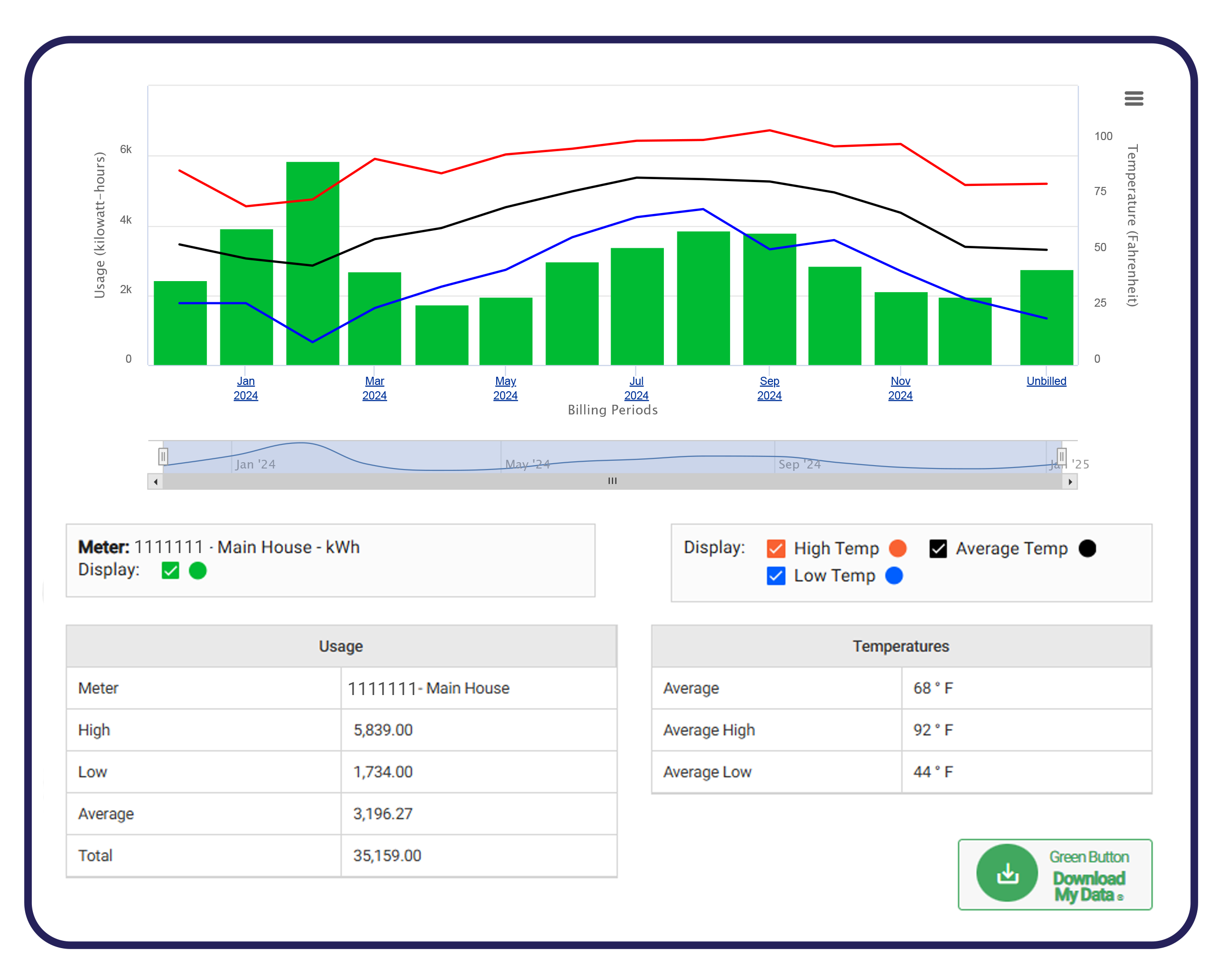
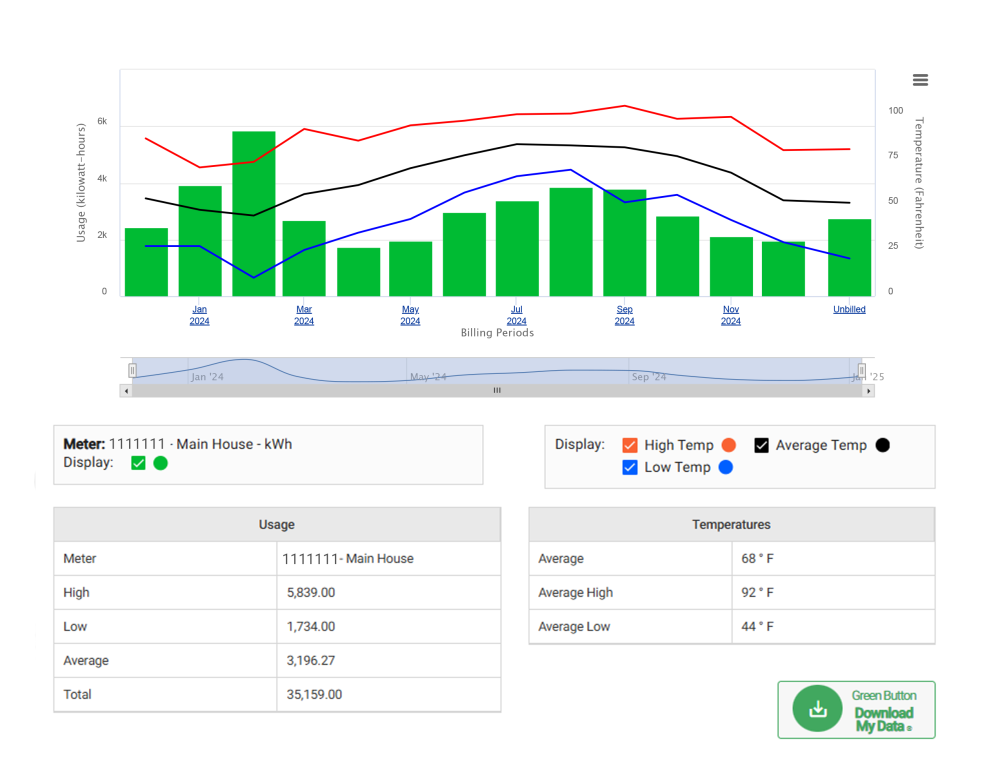
Usage Explorer gives you a detailed view of your past and current energy usage, all in one place. You can track usage by month, day, or hour, and analyze how weather trends impact your consumption.

Usage Comparison

Image
usage-comparison.png

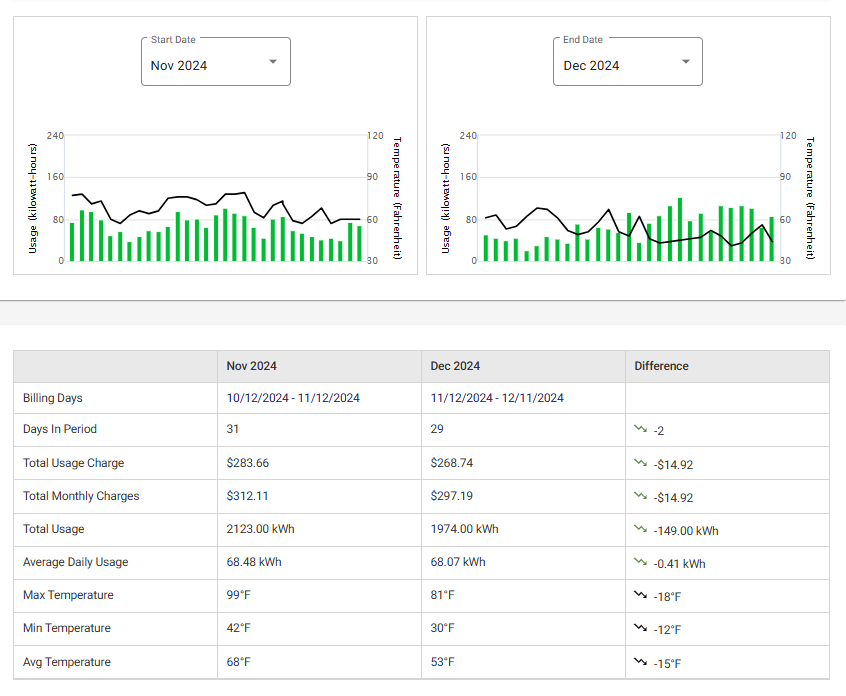
Usage Comparison allows you to compare two billing periods side by side, so that you can view the differences in your usage history. Compare this month to last year or explore other combinations to see how your bill varies each month.

Average Comparison

Image
average-usage_0.png

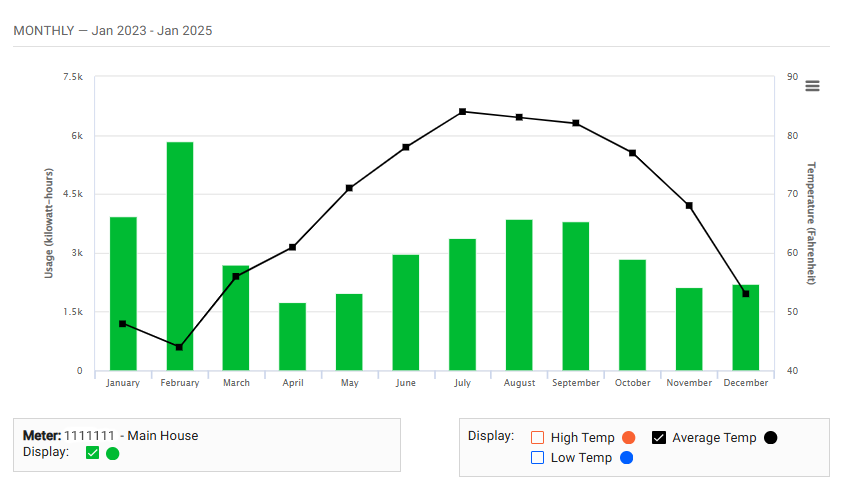
Average Usage gives you a detailed view of your past and current energy consumption, helping you understand your typical usage patterns. For example, see your average usage on specific days of the week (like Tuesdays) or during certain hours.